
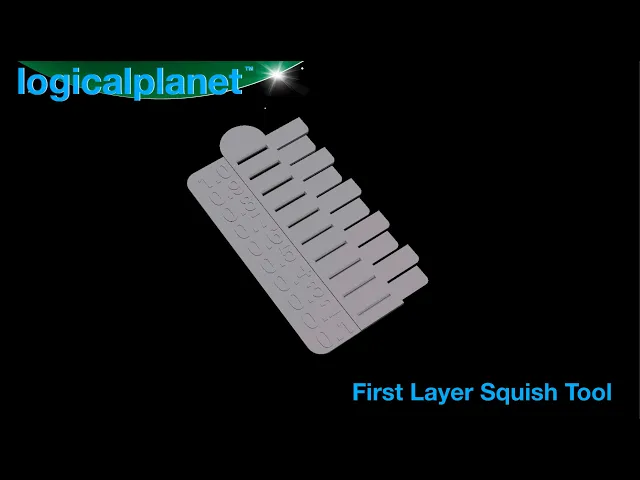


First Layer Squish Calibration Tool
I developed this tool for myself and it has turned out to be really effective (for me). I hope it is as helpful for others.
The idea is that to perfect your first layer and the first layer squish, you can use this tool to see how much squish you have and adjust it (adjust your z-offset). Furthermore, you can find this exact squish again in the future after you make setup changes.
The slots on the tool are all at 0.1mm increments, so as long as you have some squish to begin with you can see/measure your squish and then use that as a reference for printing. In fact I use a different amount of squish for different materials and I use this tool to make sure I am at the right level of squish from time to time and also whenever I change materials or setup.
Definitely watch the video as it is hard to explain but it works.
First Layer Squish Calibration Tool

Logical Modular Planters

CollarPod 40 - Poop Bag Holder for Dog Collars - 1.5 Inch Collar - Single Piece TPU - No Assembly

CollarPod 26 - Poop Bag Holder for Dog Collars - 1 Inch Collar - Single Piece TPU - No Assembly

CollarPod 17 - Poop Bag Holder for Dog Collars - 5/8 Inch Collar - Single Piece TPU - No Assembly

BeltPod 40 - Poop Bag Holder for Your Belt - Single Piece TPU - No Assembly

Logical Scraper B - 1 Piece No Screws No Assembly

Logical Scraper A — 2 Piece, No Screws

LGP Self-Watering Tray — Modular Bottom Watering Reservoir for the Logical Grow Platform

LGP Single Cell ThirdTray — Modular Grow Cell for the Logical Grow Platform

LGP Single Cell HalfTray — Modular Grow Cell for the Logical Grow Platform

LGP 2×3 Cells XL HalfTray — Modular Seed Starting Tray for the Logical Grow Platform

LPE25 Clampless Quick Connect

H2 Series Waste Bin

Exhaust Header for Bambu Lab H2 Series Printers

Lazy Susan 120 v3.0

Lazy Susan 160 v3.0

Lazy Susan 200 v3.0

Lazy Susan 240 v3.0

Lazy Susan 280 v3.0

As you view the layers in Cura slicer the 0.3 doesn't appear until layer 3, the 0.2 slot until layer 4 and the 0.1 slot doesn't appear until layer 5. Is this correct?
It is entirely dependent on your slicer settings. The idea is that you can play around with the settings to understand how the print will be produced. For example, if you are printing with simple 0.2mm layer height, the printer can not produce a 0.1mm part. And, a 0.3mm part will have to print at 0.2 or 0.4. But with advanced slicer settings some of that can change.
Thanks for this! I've been pretty happy overall but I think this will get me even closer :-)