
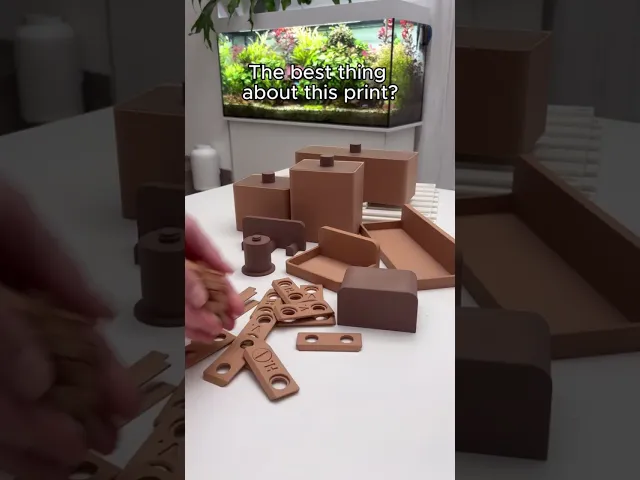






PAWZONE: MODULAR WALL ORGANIZER
One board. Endless possibilities.
PawZone is a modular wall organization system designed to adapt to your space, your habits, and the things you use every day. Whether you need a dedicated station for dog walking essentials, an entryway organizer, a workshop setup, or a personalized storage wall, PAWZONE grows and changes with your needs.
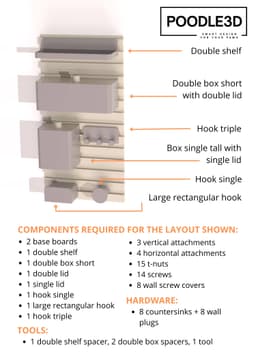
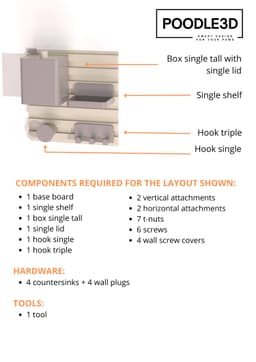
Start with a single base plate or connect multiple boards horizontally and vertically to create a custom organization system. Add hooks, shelves, containers, and accessories exactly where you want them, then rearrange or expand your setup whenever your storage needs change.
Perfect for keeping leashes, collars, treats, keys, wallets, sunglasses, pet accessories, and everyday essentials organized and easy to reach.
The clean geometric design allows you to mix colors, create unique layouts, and build a storage solution that feels both functional and personal.
Perfect for:
- Dog walking stations
- Entryway organization
- Pet accessories
- Keys and wallets
- Home organization
- Workshops and hobby spaces
- Utility rooms
- Custom storage walls
Features:
- Fully modular wall organization system
- Expandable in all directions
- Compatible with hooks, shelves, and containers
- Customizable layout
- Mix-and-match color combinations
- Strong wall-mounted design
- Suitable for home, office, and pet-care area
- Easy to expand over time
Installation:
- The base board includes mounting holes in each corner for secure wall installation.
- Use wall anchors and screws appropriate for your wall type: drywall, brick, concrete, other suitable wall materials
Recommended hardware:
- M4 or M5 countersunk screws
- Suitable wall anchors
Dimensions:
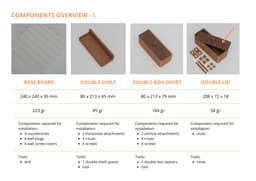
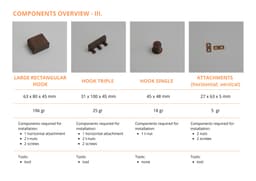
- Base Board (largest component): 240 × 240 × 95 mm
- Weight: approximately 223 g
Additional dimensions and filament consumption information for all accessories and components are included in the project files.
PAWZONE: MODULAR WALL ORGANIZER

PAWS IN THE SAND

DOG HOUSE PIGGY BANK

SCRATCH BOARD

DOG HOUSE PUZZLE

DONUT DASH

POOP BAG STATION

PAW TREAT KEYCHAIN

FLEXFETCH DISC

TREAT ROLLER

MEDIPAW BOX

DRYO NEST

PAWSTACK TREATS CONTAINERS

PAWROUTINE WALL CLOCK

POOP PAWSKETS

POOPLOOP

CLEANWALK PAW

WHISPER VASE

PAWZZLE DUO & PAWZZLE QUARTET

VERTICAL POUCH DISPENSER

I have same saze issue with a P1S, so I need to scale down
I get a status error in my files when I attempt to extract them from the zip folder download. I am using windows. Any recommendations would be very appreciated!
I'm having trouble printing the base on X1C. It keeps saying error baseboard stl is too close to exclusion areas. it won't let me slice the plate for printing. Any suggestions?
Unfortunately, the exclusion areas on the X1C are a bit larger than on other printers. But don't worry, there's an easy fix! Scale the board to 99 per cent and press Shift+A to arrange it automatically on the build plate. Remember to scale all the other parts to 99 per cent too, so everything fits as it should.