
(1).png&w=256&q=75)

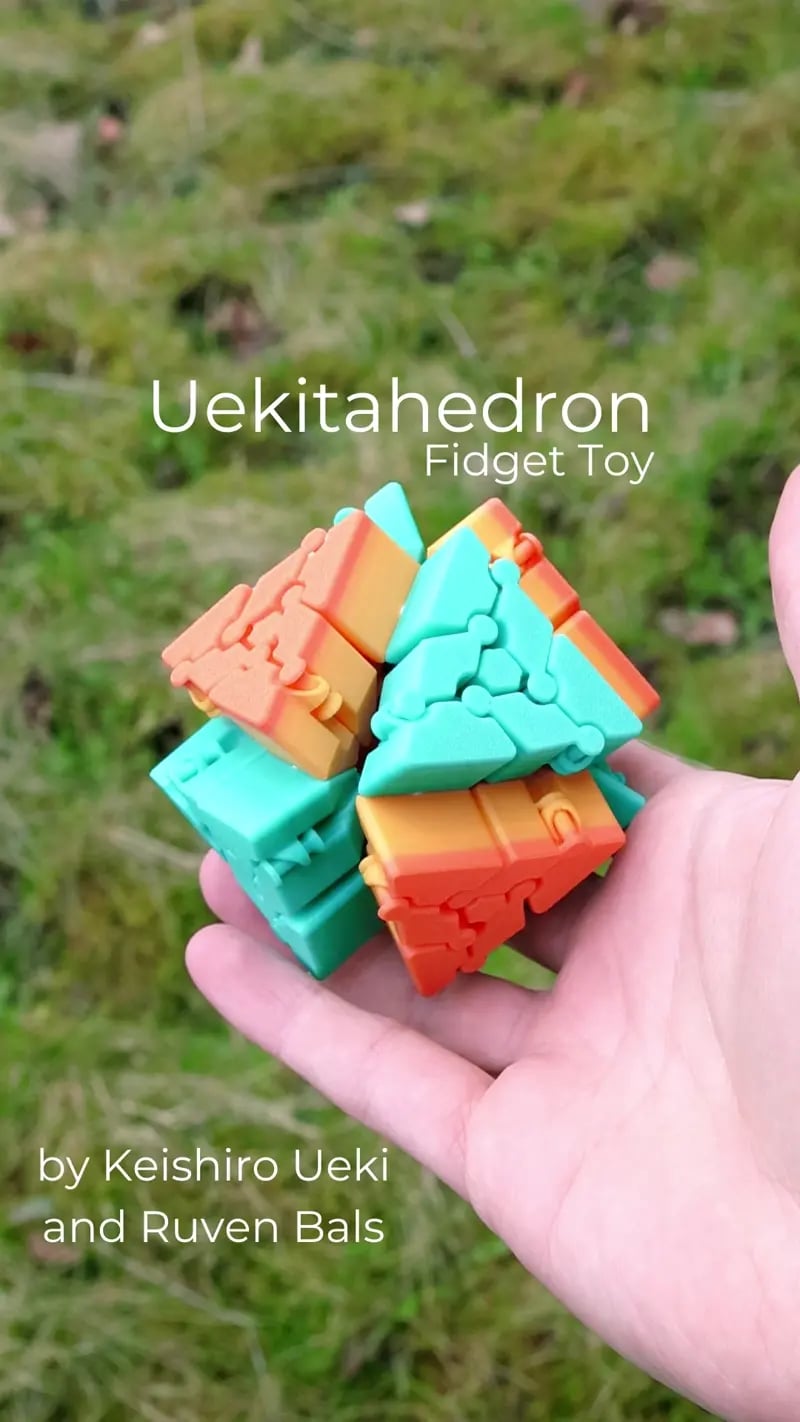
Uekitahedron Fidget Toy
859 downloads · 1 year ago · Hey,
this Model is another collaboration by [Keishiro Ueki](https://keishiroueki.net) and me [Ruven
This model is restricted by licensing terms.
View license.
Hey, this Model is another collaboration by Keishiro Ueki and me Ruven Bals. Keishiro invented the mechanism and I made the 3D model and the Guides. It's a Variation of the Jitterbug. That's also used in my Expander.
Take a look at Keishiro's Work on his maker world profile.
You Need: 8 Triangles 12 Connectors The tool is optional. You can also use glue instead of using the printed Connectors.
Print Settings: Standard for your Filament. No Supports.
Assembly: I made a PDF Guide that's included in the download as well as a Video Guide.
Troubleshooting: If the Connectors break, just use glue to connect the Triangles. If the hinges don't work smoothly, try using a smaller layer height or the "fine" profile in your Slicer


Uekitahedron Fidget Toy
859 downloads · 1 year ago in and
This model is restricted by licensing terms.
View license.

Gingerbread Cookie Clickers SET

Set of 4 Halloween Cupcake Clikers

Fidget Cube Fidget Toy Workshop3D

Santa Octopus

Mini Snow Dragon 2025

Ouch! Keychain Fidget EXTREME!

Karambit Fidget Toy

Pain Sensory Fidgets GEN 2

Cute Latte Fidget Toy

Gold Digger Pickaxe Fidget Toy

Pickaxe Fidget Toy

Infinity cube - fidget toy

Mine Yearner Pickaxe Fidget Toy

Spring Fidget Toys: Bunny, Chick, and Piglet | 3D Printed Desk Hand Toy

The Flipper - Fidget Toy

Bitcoin Miner Fidget Toy

Jumping Man Fidget Toy
Butter Churner Clicker Fidget Toy

Football Clicker Fidget Toy

This was very cool. Thanks.
How do you connect them
https://youtu.be/jTXCbyzYFrc
Looks great! :-D
I printed the pieces according to the file, but they're "stuck together." How do I unstick them to get the desired effect? Can you help me?
how long does it take to print it all
How do you connect them
These designs are looking super cool!
Ty!